
Managing codelists
Codelists are controlled vocabularies (for example ISO country codes, SDMX frequency codes, or organization-specific code lists). Components in a data structure can reference a standard codelist from the registry instead of defining codes inline.
See Structural metadata for how the registry relates to indicator projects.
Open the codelists registry
From the main navigation, click Codelists.
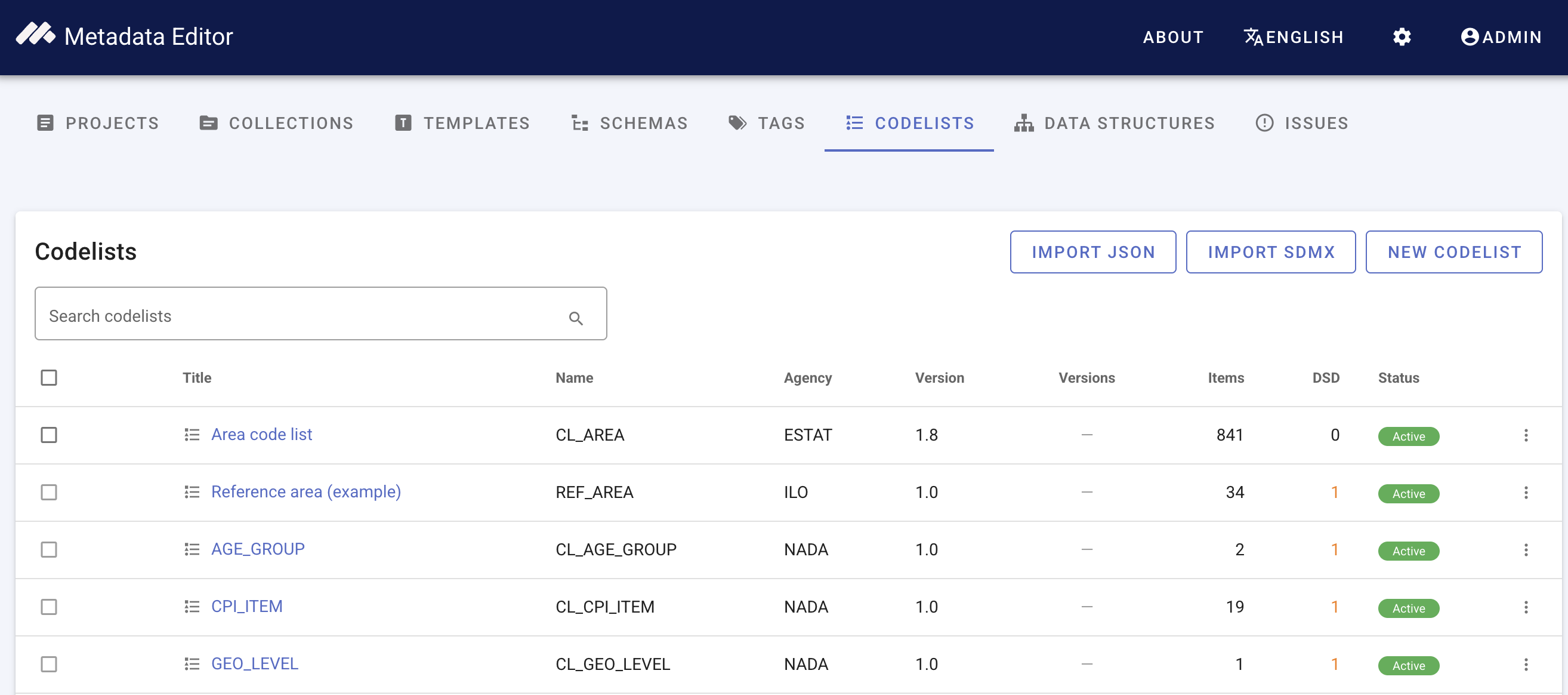
The registry lists all site-wide codelists. Each row shows Title, Name, Agency, Version, Versions (when multiple versions exist), Items (code count), DSD (how many data structure components reference the list), and Status.
Use the search box to filter by title, name, or agency. Expand a row with multiple versions to see the version family (version number, status, item count, and DSD usage per version).
Create a codelist
- Click New codelist.
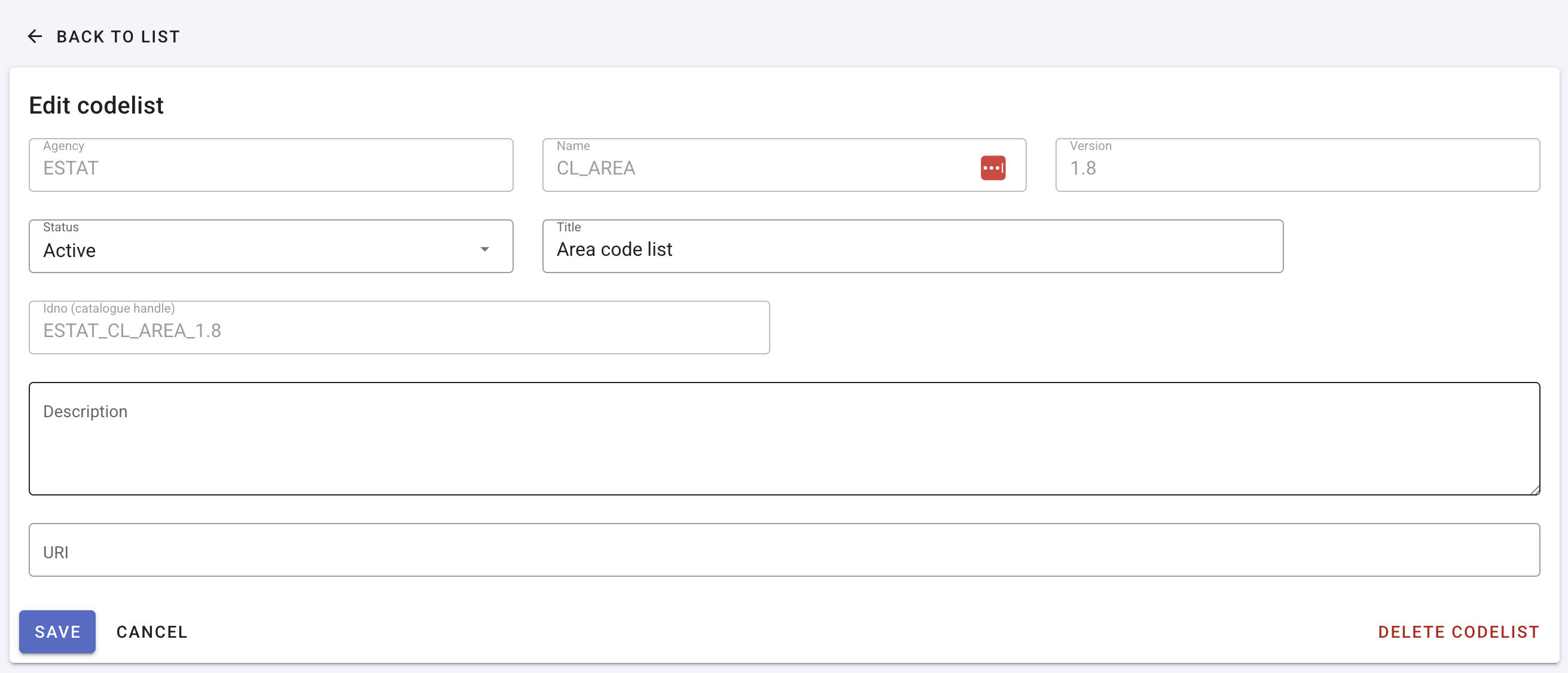
- Enter identifying metadata:
- Agency, Name, and Version — required; fixed after the codelist is created (create a new version to change these).
- Title — display name shown in the registry and DSD picker.
- Idno — optional catalogue handle; leave blank to auto-generate from agency, name, and version.
- Description and URI — optional.
- Click Save. The Items and Codelist translations sections appear after the first save.
Alternatively, import a codelist from SDMX or JSON instead of creating one manually.
Codelist translations
Header translations define the codelist title and description in additional ISO languages. They are separate from individual code labels.
- Open a saved codelist and scroll to Codelist translations.
- Click Add language and select an ISO language code.
- Enter the translated Label and optional Description for the codelist header.
- Click Save translations.
Languages added here also appear in the Items grid, so you can enter multi-language labels for each code (one label row per language).

Add and edit codes
After the codelist metadata is saved, use the Items section to maintain codes.
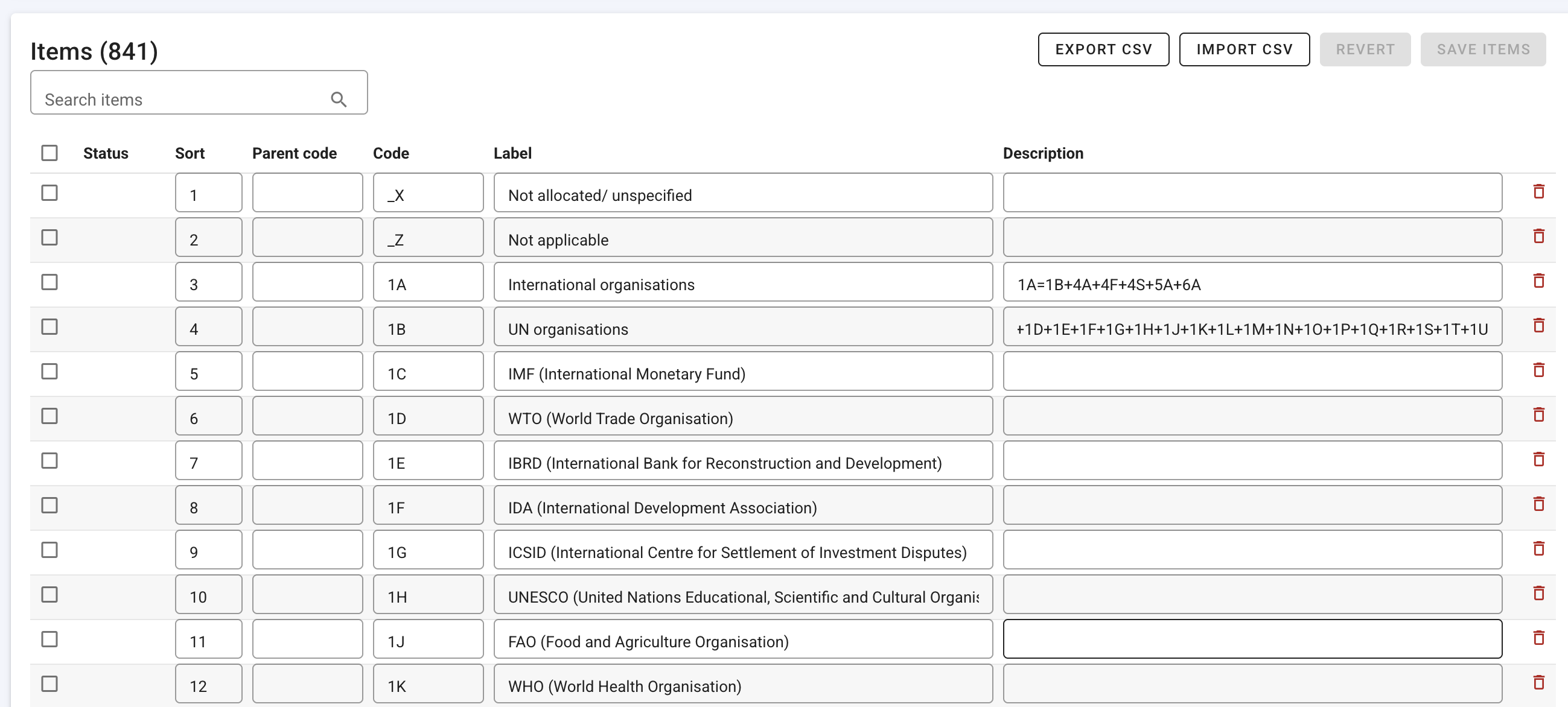
For each item you can set:
| Field | Purpose |
|---|---|
| Code | The value stored in observation data (for example US, A, Q) |
| Label | Human-readable name (for example United States, Annual) |
| Description | Optional longer text |
| Sort | Display order (numeric) |
| Parent code | Parent code for hierarchical lists (leave blank for top-level codes) |
| Language | Shown when multiple header languages are configured |
Edit codes inline in the grid. New and modified rows are highlighted until you click Save items. Use Revert to discard unsaved grid changes. Search items filters the current page; large lists are paginated (50 items per page).
Use Add row to insert a blank code, or select rows and Delete selected to remove saved codes in bulk.
Import codes from CSV
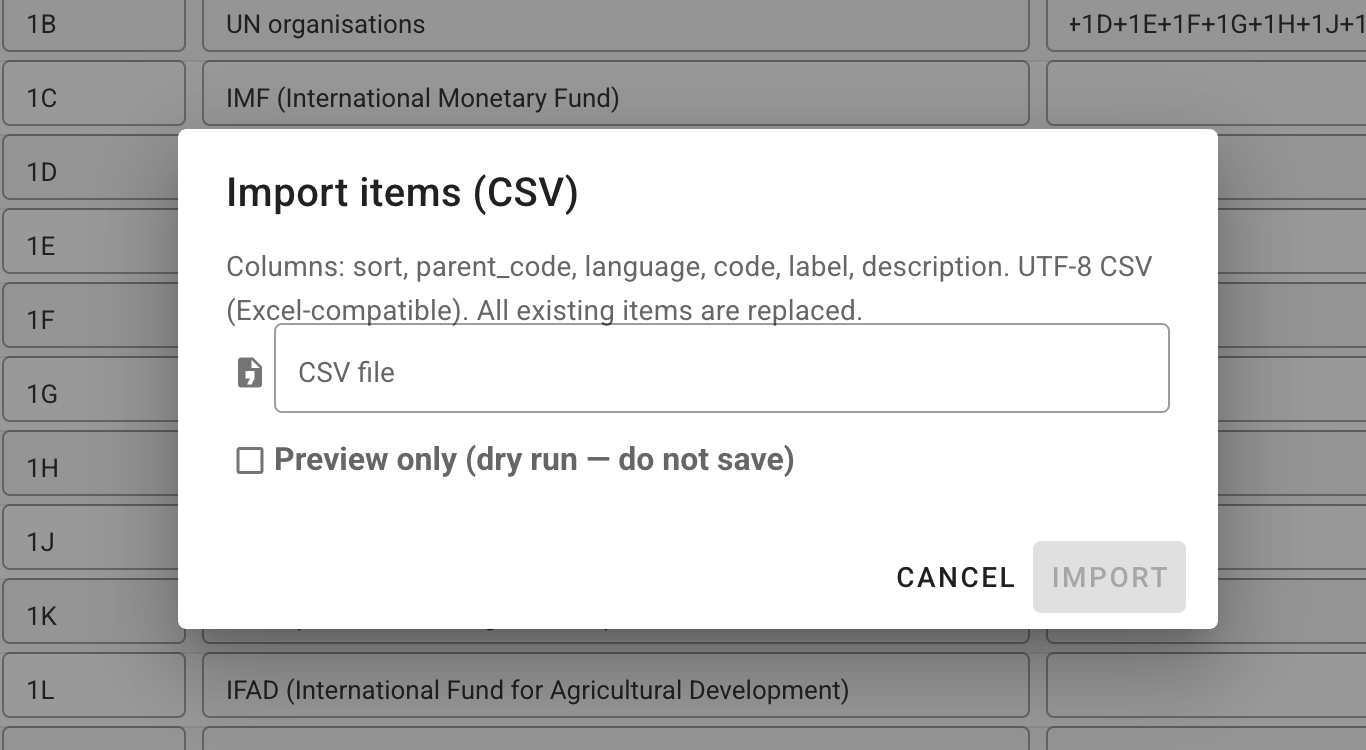
On the edit page, click Import CSV to bulk-load or replace all items. You can also Export CSV, edit the file externally, and re-import to update codes in bulk.
Expected columns (UTF-8, comma-separated):
sort, parent_code, language, code, label, description
Import replaces all existing items. Use Preview only (dry run) to validate the file without saving. If you have unsaved grid edits, confirm before importing — the import discards them.
Click Export CSV to download the current items in the same format.
View a codelist
Click a codelist title (or View in the row menu) to open the read-only View page. Locked and archived codelists open here instead of the editor.
The view page shows metadata, header translations, and a paginated, searchable codes table. Use Edit to switch to the editor (when the codelist is editable). Export buttons for JSON and SDMX are also available on this page.
Status and versioning
Codelists use these statuses:
| Status | Meaning |
|---|---|
| Draft | Editable; not yet the canonical published version. |
| Active | Available for linking from data structure components. |
| Locked | Read-only in the registry. Unlock (admin) or create a new version to change codes. |
| Archived | Hidden from normal use; restore (admin) to return to active. |
Site administrators can change status from the row action menu (Lock, Unlock, Archive, Restore) or from the Status field on the edit form.
When a codelist has multiple versions, expand its row on the registry list to see the version family. To publish a new version, create a new codelist with the same agency and name but a different version string.
Deletion rules
A codelist can be deleted only when:
- Status is draft or active (not locked or archived), and
- DSD usage is zero (no data structure components reference it).
The registry supports batch delete: select rows, then Delete selected. Lists in use or locked are skipped automatically. The DSD column on the registry list (see screenshot above) shows how many data structure components reference each codelist.
Import and export whole codelists
Transfer codelists between sites or bulk-load from external sources.
Import whole codelists
From the codelists list, use Import JSON or Import SDMX:
| Format | Source | Notes |
|---|---|---|
| JSON | .json file upload | Single codelist export from this editor or API |
| SDMX-ML | .xml file upload or URL | Structure message with Codelist or HierarchicalCodelist elements (SDMX 2.1 or 3.0) |
Both import dialogs support:
- Preview only (dry run) — validate without saving (SDMX; JSON dry run reports planned action and code count).
- Replace / overwrite — update an existing list with the same agency, id, and version instead of skipping it.
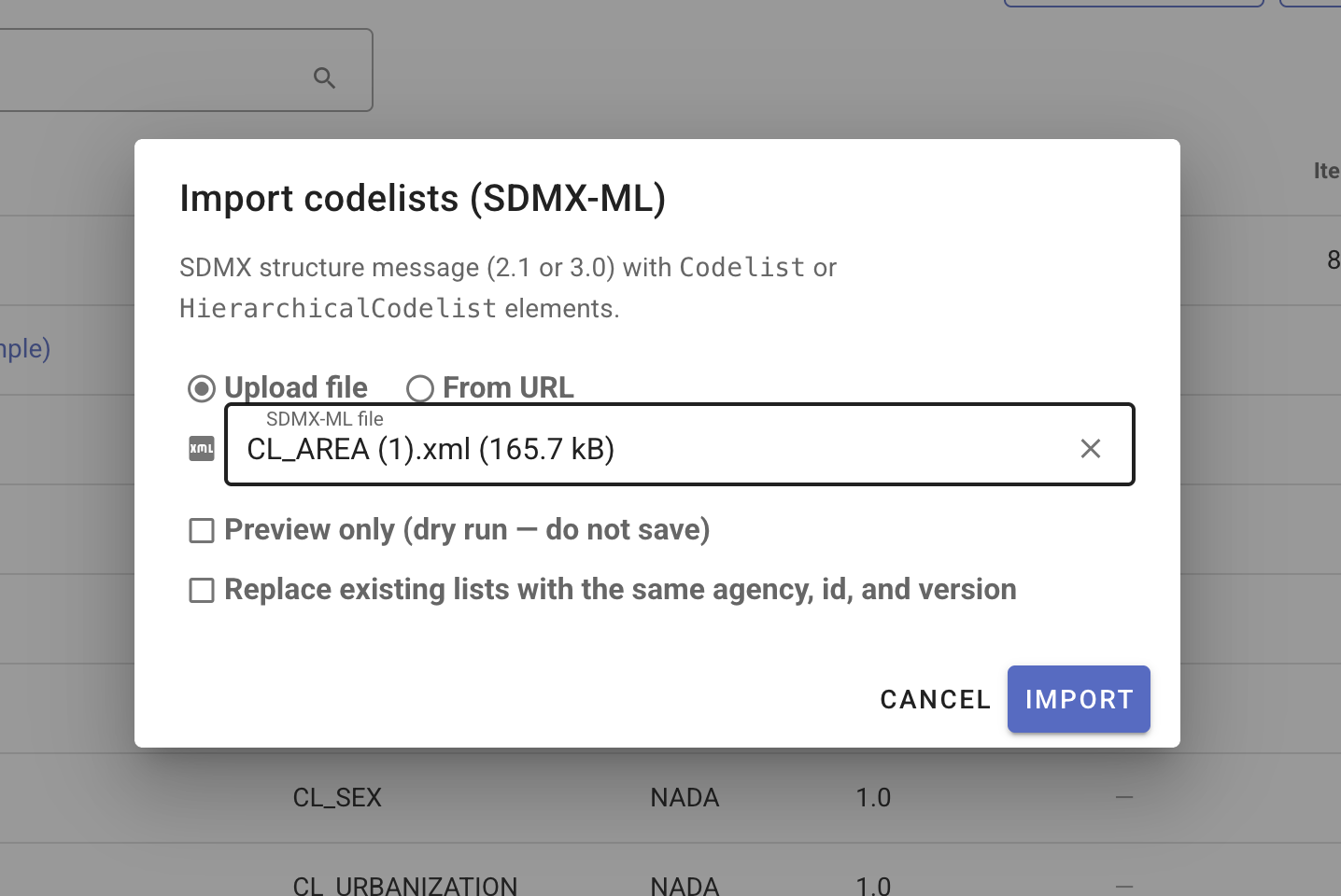
Import from SDMX
- On the codelists list, click Import SDMX.
- Choose Upload file and select an SDMX-ML structure message, or choose From URL and paste a link to a structure message on the public internet (for example a codelist from the SDMX Global Registry).
- Optionally enable Preview only (dry run) to confirm the file parses before saving.
- If a list with the same agency, id, and version already exists, enable Replace existing lists with the same agency, id, and version to overwrite items.
- Click Import. The new row appears in the registry; open it to review metadata and codes.
Export (row menu or view page)
From each codelist's action menu (⋮) or the view page toolbar:
| Format | Use |
|---|---|
| Export JSON | Backup, migration, or API round-trip |
| SDMX 2.1 | SDMX structure message for external systems |
| SDMX 3.0 | SDMX 3 structure message |
| Export CSV | Item-level export from the edit page only (see Import codes from CSV) |
Use export for backup, migration, or publishing codelists alongside DSDs to NADA or other SDMX-aware catalogs.
Permissions
Access to the codelists registry is controlled by site roles (v1.3+). Typical permissions:
| Action | Requirement |
|---|---|
| Browse the registry | Codelist browse permission (or administrator) |
| Create / edit codelists and codes | Codelist edit permission |
| Import JSON / SDMX | Codelist import permission |
| Delete codelists | Codelist delete permission |
| Lock, unlock, archive, restore | Site administrator |
Assign Codelist manager (or equivalent registry role) in Users and roles when non-administrators need to maintain shared lists. See Upgrading to v1.3 for registry role assignments.
Use codelists in metadata templates
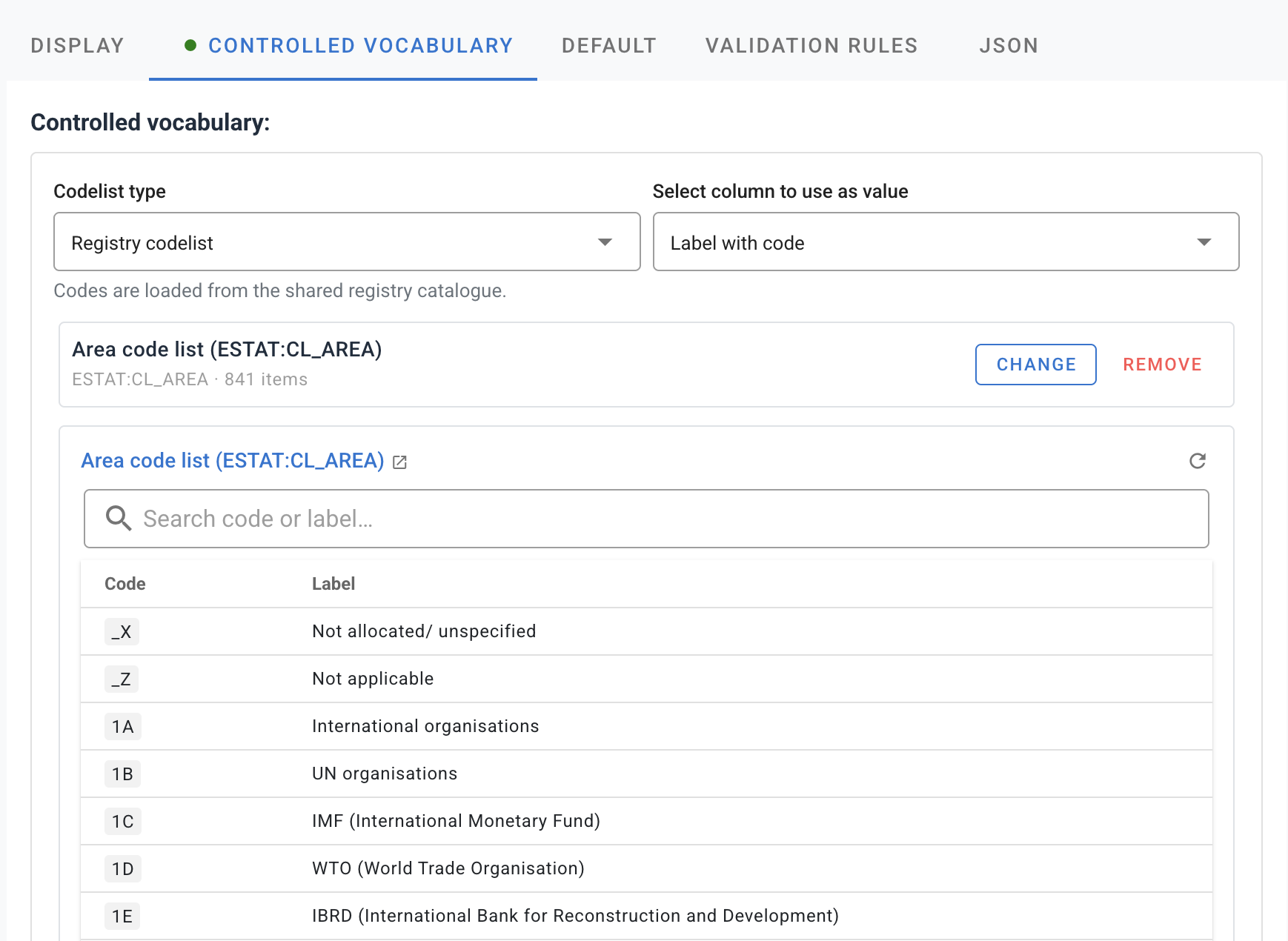
Registry codelists are not only for data structures. In Template Manager, open a field’s CONTROLLED VOCABULARY tab and choose Registry codelist to link the field to a list in this registry instead of maintaining codes inline in the template.
- Maintain codes once in Codelists, then reuse them across many templates and DSD components.
- For array fields, map registry code and label columns to the array’s columns so curators pick codes from the registry when editing metadata.
- Fields restricted by schema enum values may only allow custom inline lists or must match schema allowed values; see Designing templates — Controlled vocabularies.
Next steps
- Managing data structures — link codelists to DSD components.
- Attach a data structure to an indicator project.
- Import observation data — imported codes must exist in linked global codelists.