
Custom metadata schemas
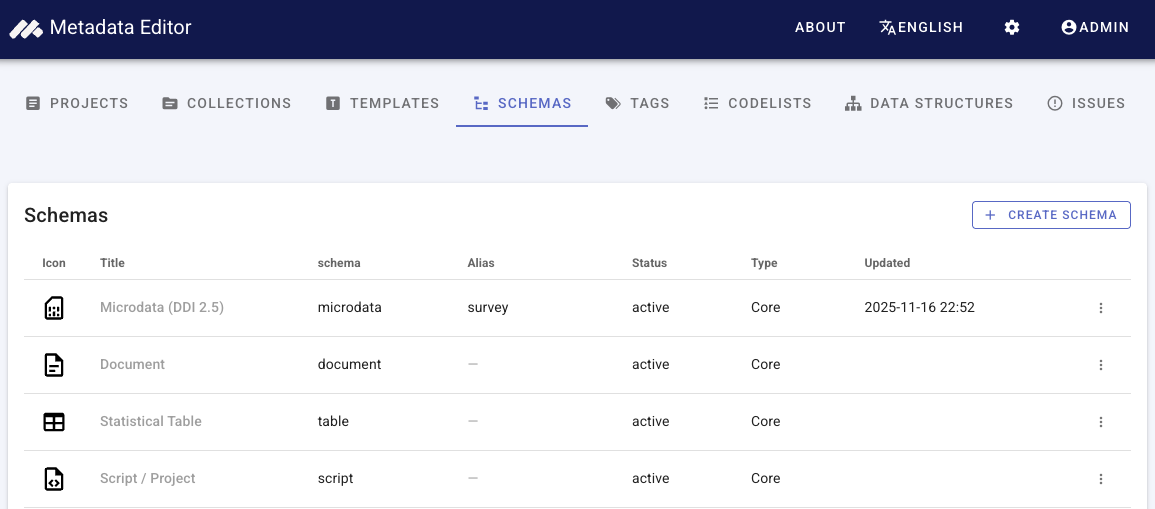
The Metadata Editor includes a schema registry for core and custom metadata types. Core types (microdata, indicator, document, and others) ship with fixed JSON Schemas and templates. Custom schemas let an organization register its own JSON Schema(Draft-07) definitions as new project types.
In this section
- Managing custom schemas — Open the registry, create and edit schemas, upload schema files, core field mappings, templates, and projects.
- JSON Schema guidelines — Draft-07 rules, reserved root property names,
$reffiles, and validation behaviour.
Who can manage schemas
- The Schemas tab in the main navigation is visible to users who have the schema permission (typically site administrators).
- Creating, updating, and deleting custom schemas requires administrator access (same as other site administration tasks).
- Viewing the registry and previewing a schema specification is available to users with schema view permission.
Enable custom types for new projects
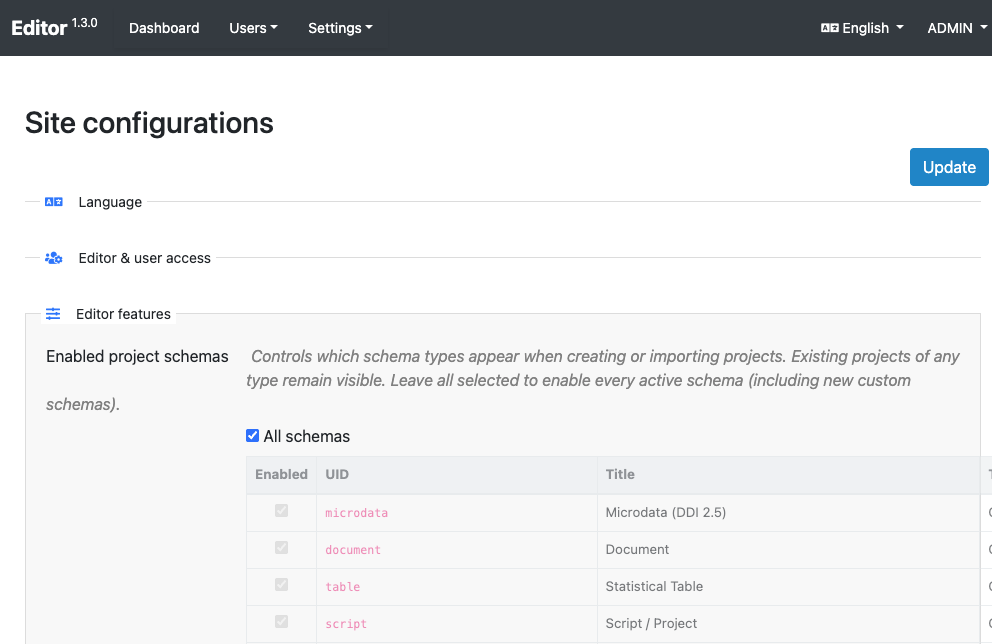
Which schema types appear when users create or import projects is controlled under Site administration → Site configurations → Enabled project schemas.
- Select All schemas to allow every active type, including new custom schemas as soon as they are registered.
- Or clear All schemas and check only the types you want exposed in the create-project dialog.
Existing projects keep their type regardless of this setting; only the create/import picker is filtered.
See also Post-install configuration.
Storage
Custom schema JSON files are stored on disk under the editor storage area (default: {storage_path}/user-schemas/{uid}/).
Typical workflow
- Design a JSON Schema (see guidelines).
- Create schema in the registry — upload the main file and any
$refsiblings. - Edit core mappings — map identifier and title (required) and optional fields to JSON pointers in your schema.
- Open Templates — a generated (read-only) template exists for the new type; duplicate it if curators need a tailored form.
- Enable the type under Enabled project schemas if you use a restricted list.
- Users create projects of the new type and document metadata like any other data type.