
Structural metadata (project)
Worked example: Quick start: Indicator covers metadata only. For observation data, create a DSD in the registry, then attach it here.
The data structure definition (DSD) describes how observation data are organized in the CSV file. It is the structural metadata for the indicator and aligns with SDMX Data Structure Definitions. See SDMX and the World Bank schema.
- Registry — Create and maintain DSDs and codelists: Managing data structures, Managing codelists.
- Long-format CSV — Import requires long (not wide) format.
- Dimensions — See Dimensions vs separate indicators when planning column layout.
Column types
For each column in the CSV, the data structure records:
| Field | Description |
|---|---|
| Name | Column header in the CSV file |
| Label | Human-readable label |
| Description | Optional short description |
| Data type | String, Integer, Float, Date, or Boolean |
| Column type | SDMX role (see below) |
| Time period format | Required when column type is Time period (for example YYYY for annual data) |
| Codelist | Optional link to a global codelist |
SDMX column roles
| Column type | Role |
|---|---|
| Dimension | Breakdown axis (for example sex, urban/rural). See Dimensions vs separate indicators. |
| Time period | When the observation applies (for example year). |
| Geography | Geographic area (for example country). |
| Indicator ID | Unique identifier for the indicator in the file. Exactly one column must have this type. |
| Indicator name | Title or name of the indicator (optional if documented in reference metadata). |
| Observation value | The numeric or text observation. Exactly one column must have this type. |
| Attribute | Non-dimensional qualifier (SDMX attribute). |
| Annotation | Supplementary coded information. |
| Periodicity (FREQ) | Explicit frequency column when present; otherwise frequency may be set at import (see Observation data). |
All columns that appear in the CSV should be represented in the bound data structure (except optional extra columns you choose to ignore at import).
Example long-format file (SI.POV.DDAY)
The documentation example uses SI.POV.DDAY_countries_data-long.csv. Each row is one observation; column headers match the bound data structure component names.
Sample rows (from the example file):
| REF_AREA | REF_AREA_LABEL | INDICATOR | INDICATOR_LABEL | YEAR | VALUE |
|---|---|---|---|---|---|
| ARG | Argentina | SI.POV.DDAY | Poverty headcount ratio at $3.00 a day (2021 PPP) (% of population) | 2010 | 1.5 |
| ARM | Armenia | SI.POV.DDAY | Poverty headcount ratio at $3.00 a day (2021 PPP) (% of population) | 2010 | 2.9 |
| ARM | Armenia | SI.POV.DDAY | Poverty headcount ratio at $3.00 a day (2021 PPP) (% of population) | 2015 | 2.9 |
| AUS | Australia | SI.POV.DDAY | Poverty headcount ratio at $3.00 a day (2021 PPP) (% of population) | 2010 | 0.5 |
Column roles for this file:
| CSV column | Column type |
|---|---|
INDICATOR | Indicator ID |
INDICATOR_LABEL | Indicator name |
REF_AREA | Geography |
REF_AREA_LABEL | Label-only |
YEAR | Time period (YYYY) |
VALUE | Observation value |
At import, select indicator ID SI.POV.DDAY. More on file layout: Long vs wide format.
Attach a data structure to the project
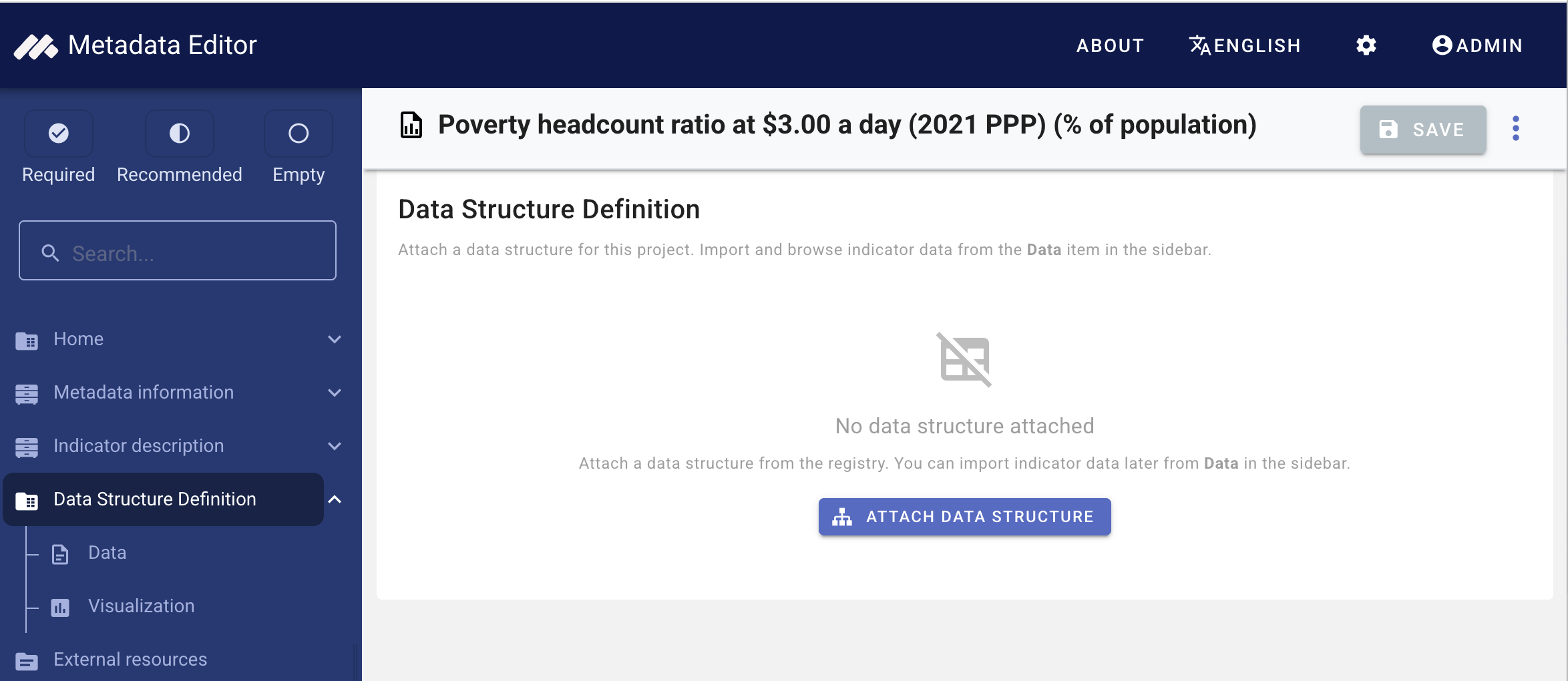
Open your indicator project. In the navigation tree, expand Data structure definition and select the overview (the parent item, not Data or Chart visualization).
If no structure is attached, the page prompts you to Attach data structure.
Screenshot: Data structure overview — empty state with Attach data structure button.
Attach from the registry
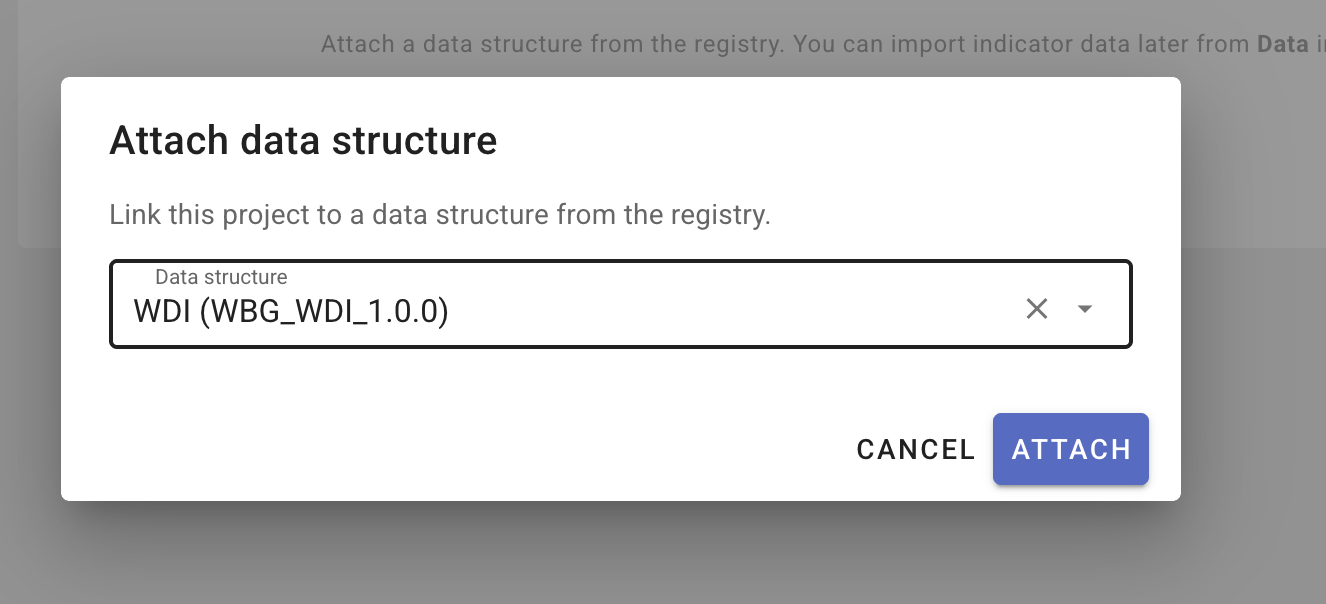
- Click Attach data structure.
- Select a global data structure from the list (agency, name, version).
- Confirm. The project now uses that structure for validation and import.
Screenshot: Attach data structure dialog — list of global structures with search/filter.
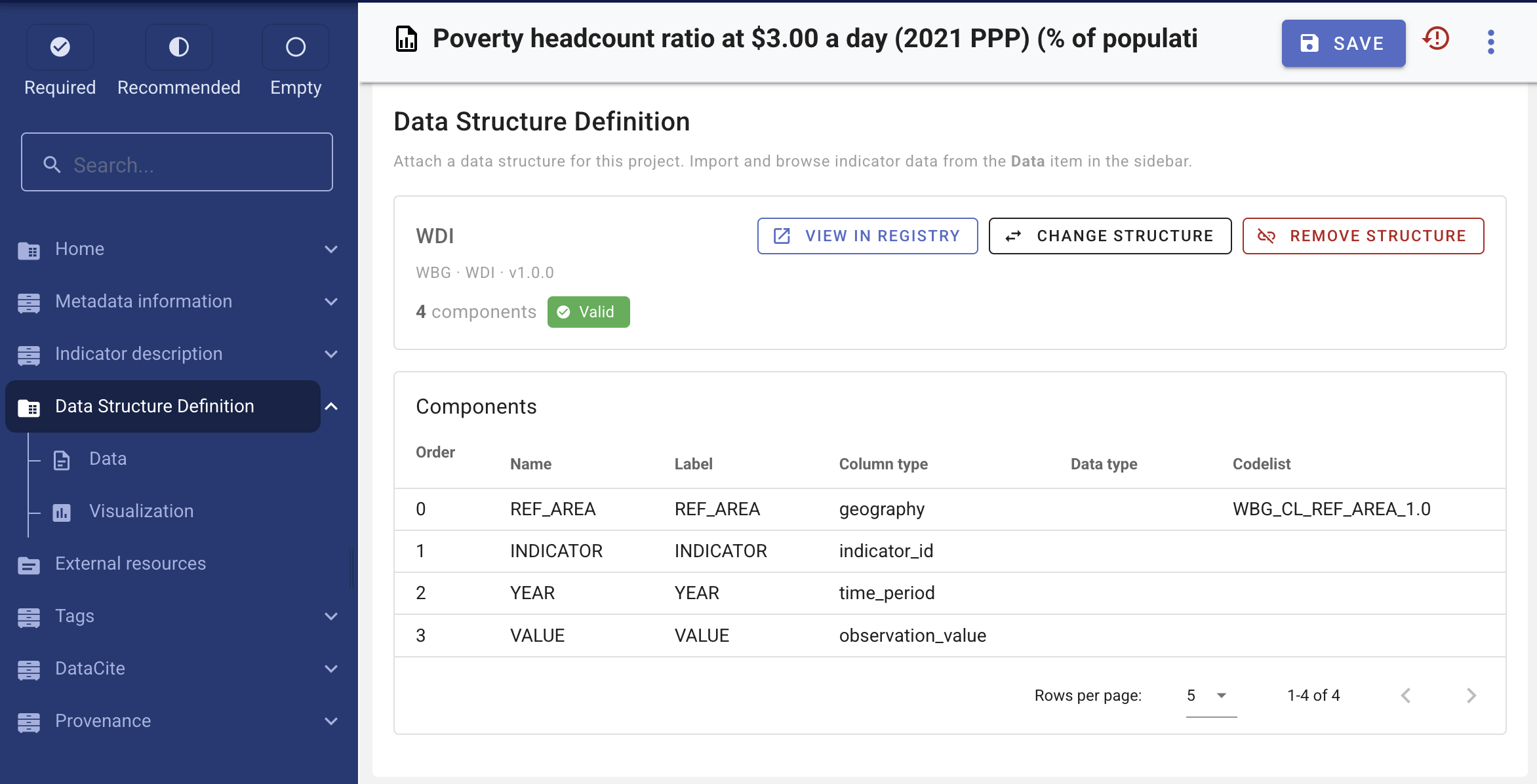
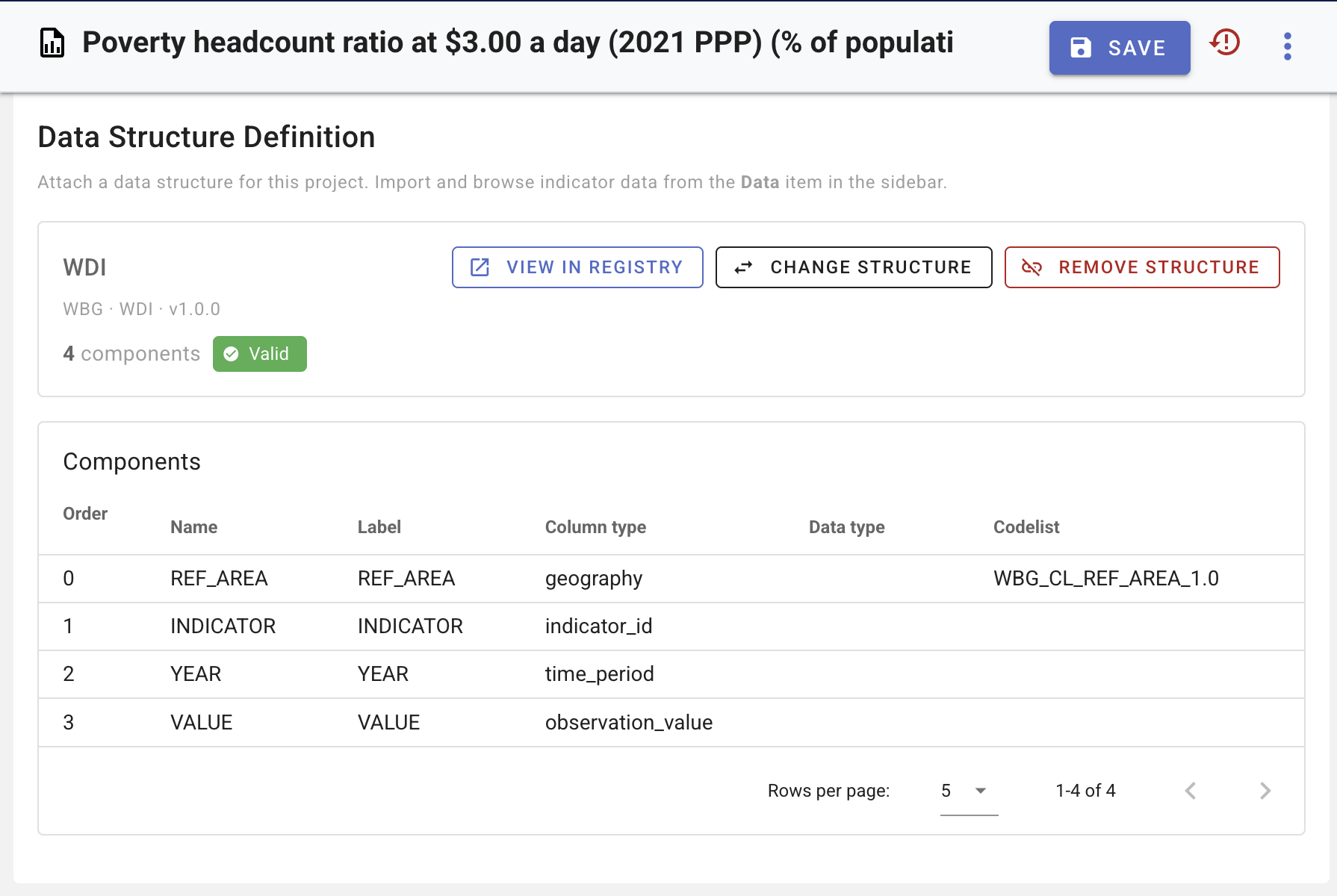
When a structure is attached, the overview shows its title, component count, validation status, and row count (after data are imported).
Screenshot: Data structure overview — bound structure summary card with Valid chip, View in registry, Change structure.
Change or remove the binding
- Change structure — select a different global structure. Review impact on existing imported data before confirming.
- Remove structure — clears the binding and removes published observation data; import is blocked until a structure is attached again.
- View in registry — opens the global data structure in a new tab for viewing or editing.
Attached structures are read-only inside the project. To change components or codelists, edit the structure in Managing data structures, or attach a different structure.
If the project is locked, DSD binding and import are read-only until the project is unlocked.
When importing, use the same column layout as the SI.POV.DDAY example file above.
Validation
This section is indicator data-structure validation (required column types, codelists, observation keys). It is separate from project metadata schema and template validation; see Validating metadata.
The overview page reports structure validation and, when data have been imported, data validation.
Structure validation
Checks include required column types (Indicator ID, Observation value, Time period), consistent codelist references, and other SDMX-oriented rules. Errors and warnings are listed on the project overview page (the same rules apply in the global DSD editor when defining components).
Import is blocked until structure validation passes (except for indicator ID selection, which is completed during import).
Data validation
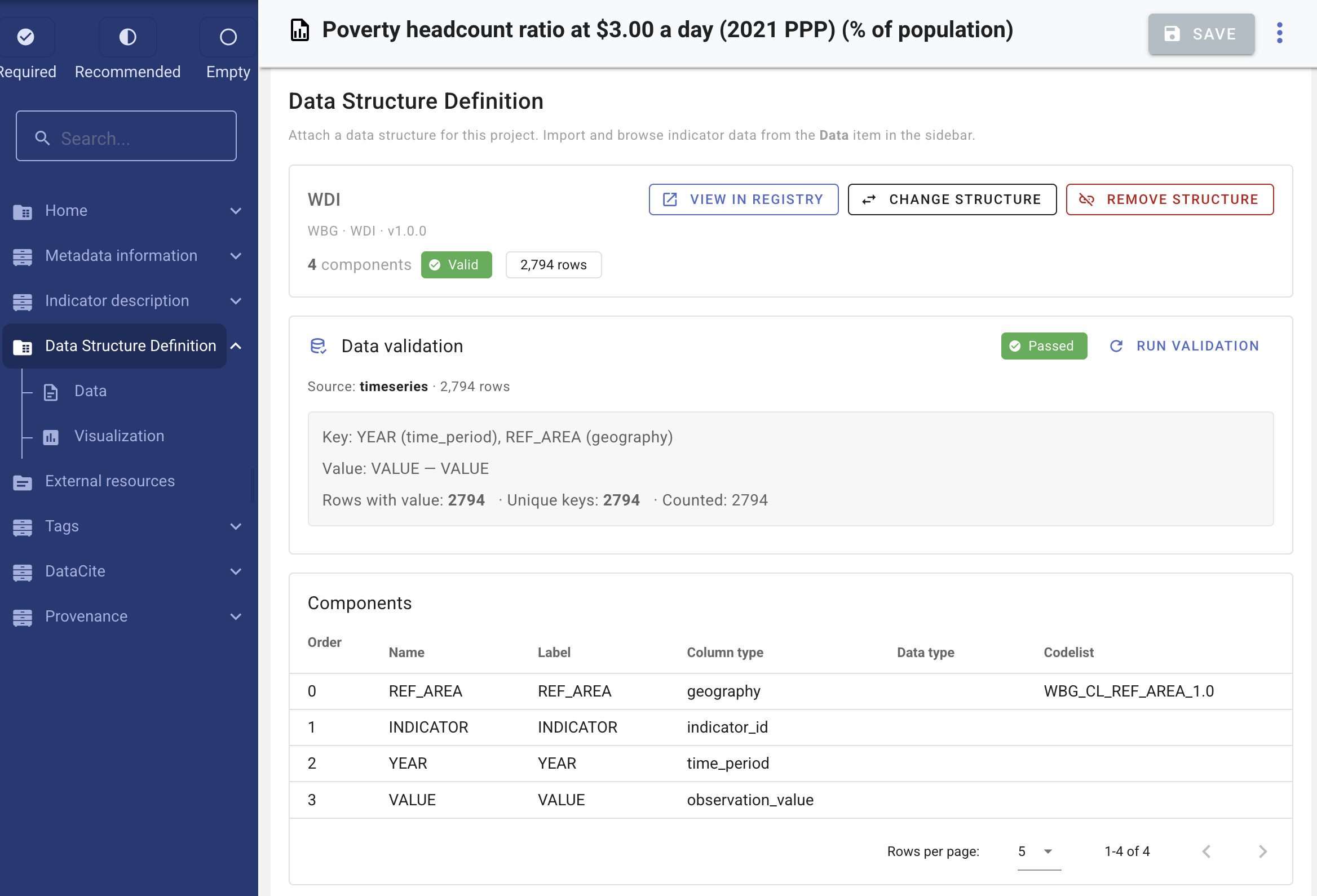
After data are imported, the overview can validate published rows against the structure (for example observation-key uniqueness and codelist codes present in the data). Use Re-run to refresh the report after import or structure changes.
Screenshot: Data validation section on overview — passed/failed chip, observation key summary.
Components table
The overview lists all components (order, name, label, column type, data type, codelist reference).
Screenshot: Components table on the data structure overview page.
Prerequisites for importing data
Before importing a CSV:
- A global data structure is attached to the project.
- Structure validation passes.
- The FastAPI data service is running and storage paths match Post-install configuration.
See Observation data.