1 Python BlackMarble Training
1.1 blackmarblepy: Overview
1.1.1 BlackMarble
Black Marble Products
The BlackMarblepy package facilitates retrieving and working with nighttime lights data from NASA Black Marble. Black Marble produces a number of nighttime light products, from daily, monthly, to annual composites.
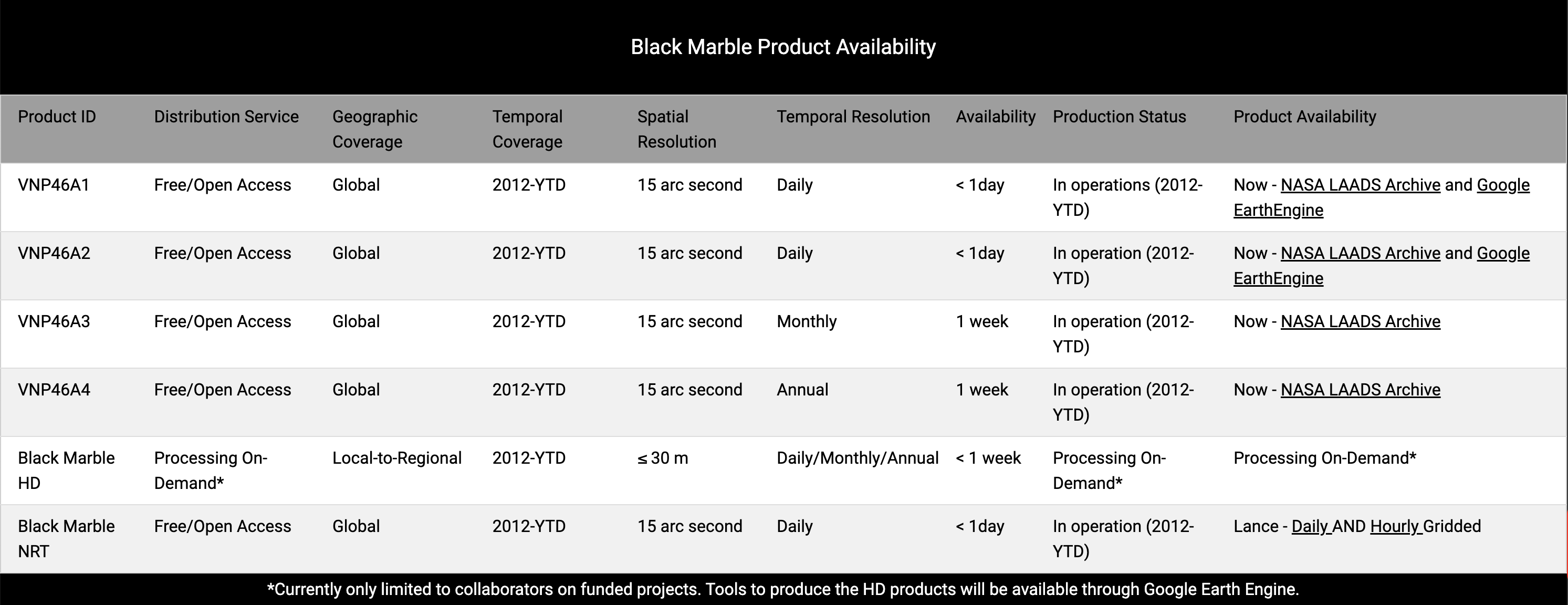
Why blackmarblepy?
The above image notes that produces are available via the NASA LAADS Archive. Within the archive, raw nighttime lights data are separated by (1) time and (2) tile. The below image shows a screenshot from the archive-showing raw files for January 2024.
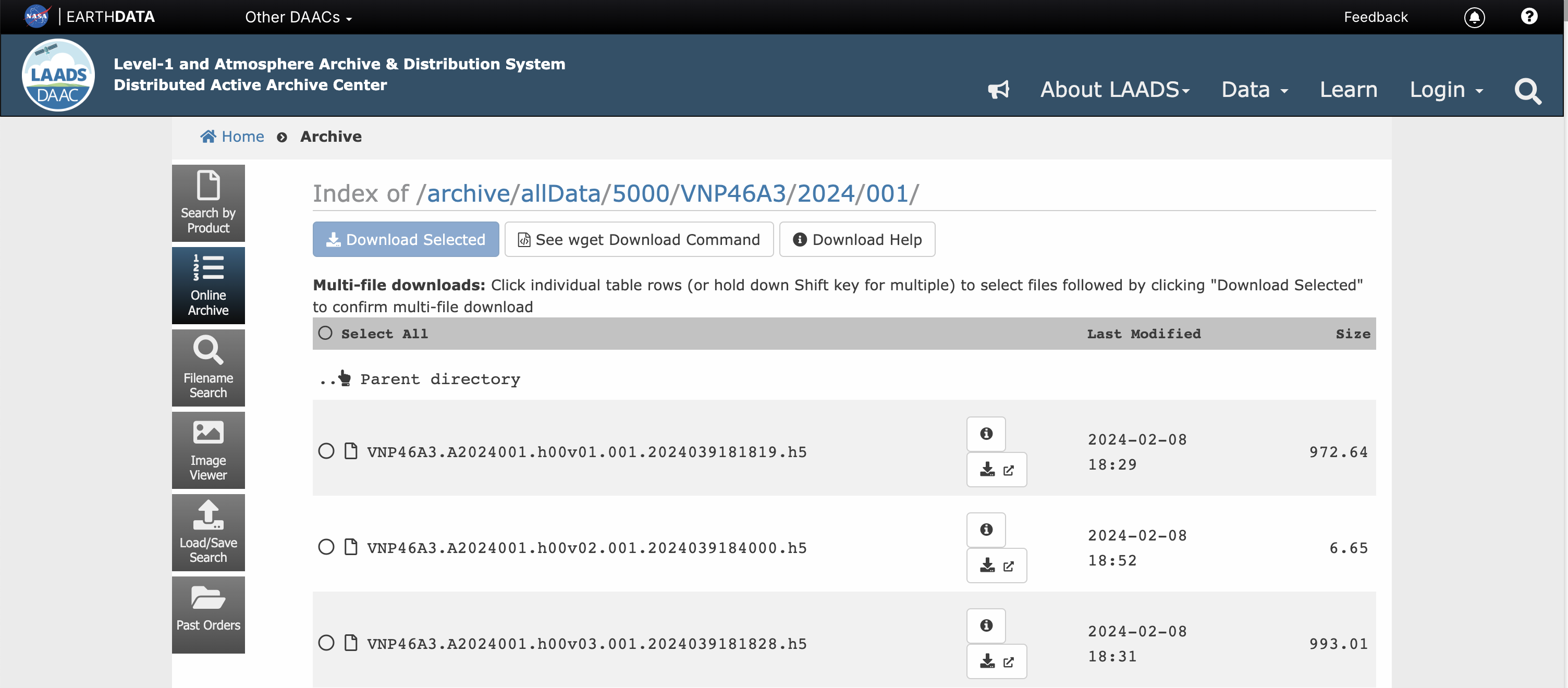
In some cases, our region of interest to examine nighttime lights crosses multiple tiles. For example, 4 tiles comprise Nigeria Consequently, to examine annual trends in nighttime lights for Kenya, for each year we’d need to download 4 tiles and mosaic them together. Doing this manually can be time consuming. The blackmarblepy package does this all for us.
1.1.2 BlackMarble Python Package - blackmarblepy
The documentation for BlackMarbleR contains more extended documentation. This section provides a brief overview of functions and key inputs.
Functions
The blackmarblepy package contains two main functions:
bm_rasterFor retrieving rasters of nighttime lights for a given region of interestbm_extractFor retrieving zonal statistics (sum, mean, etc) of nighttime lights for a given region of interest.
Required arguments
Below are the main, required arguments to the functions:
gdf: geodataframe object defining region of interestproduct_id: Black Marble product ID"VNP46A1": Daily (raw)"VNP46A2": Daily (corrected)"VNP46A3": Monthly"VNP46A4": Annual
date: Date to query (can be one or multiple dates).token: NASA bearer token. For instructions on how to create a token, see here.
Additional arguments
Below are select optional arguments; for all arguments, see documentation here.
variable: The variable to use for nighttime lights. For monthly and annual data (VNP46A3andVNP46A4) the default is"NearNadir_Composite_Snow_Free".drop_values_by_quality_flag: List of quality flag values for which to set pixels to NaN. For examples using the quality flag, see here. Default is [255].output_directory: If True (default), skips re-downloading files that already exist locally.aggfunc: Forbm_extract, a vector of functions to aggregate data (default:"sum").
1.1.3 Usage and Exercises
The usage examples and exercises are available as notebooks in the same folder.