1 Steps to use GitHub Codespaces
GitHub Codespaces lets you run the training materials in a browser-based development environment.
1.1 Step 1: Create GitHub
Create a free GitHub account at github.com or sign in to your existing account.
1.2 Step 2: Open training repository
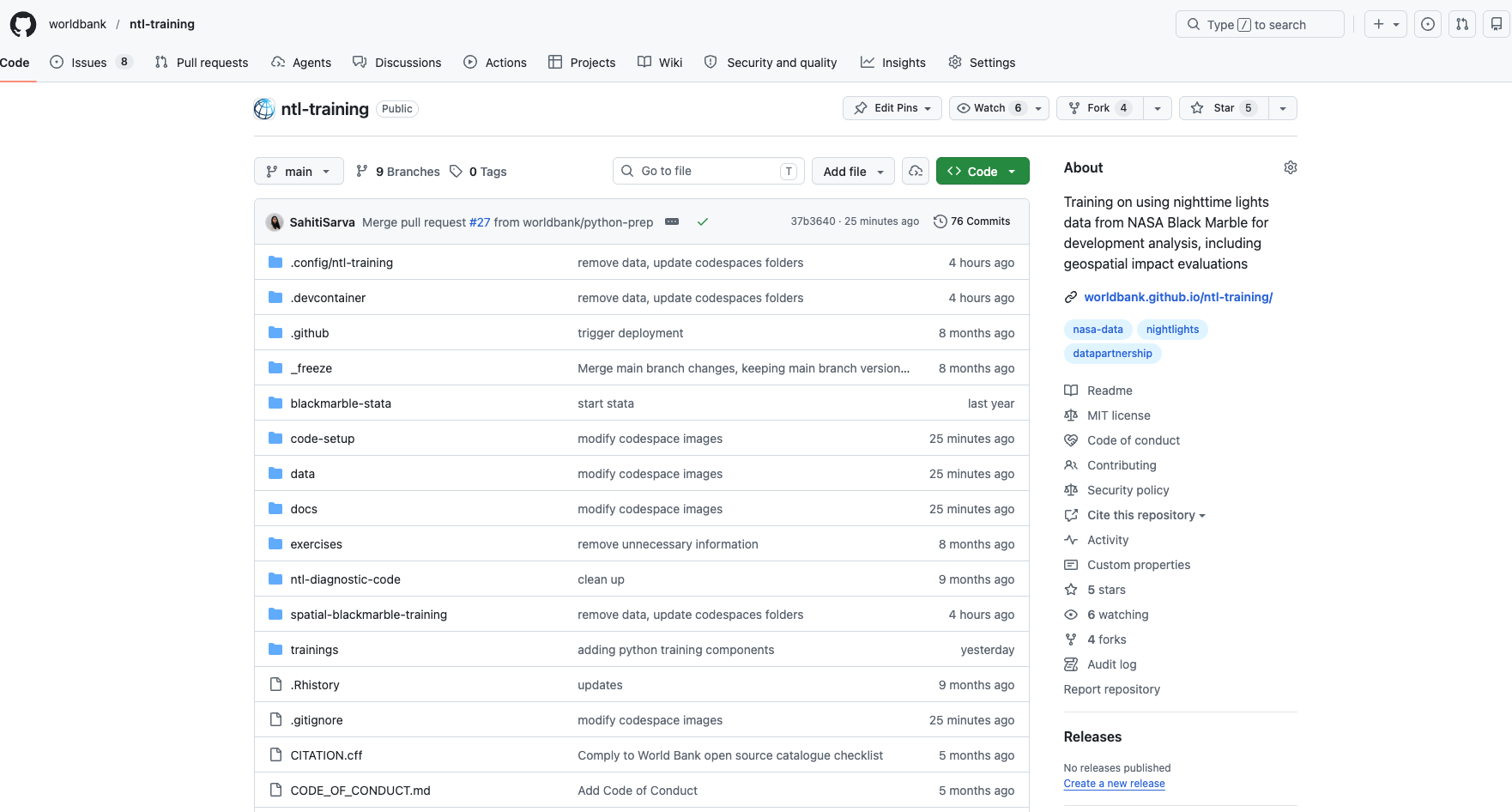
Open the ntl-training repository.
1.3 Step 3: Open Codespaces menu and create a codespace
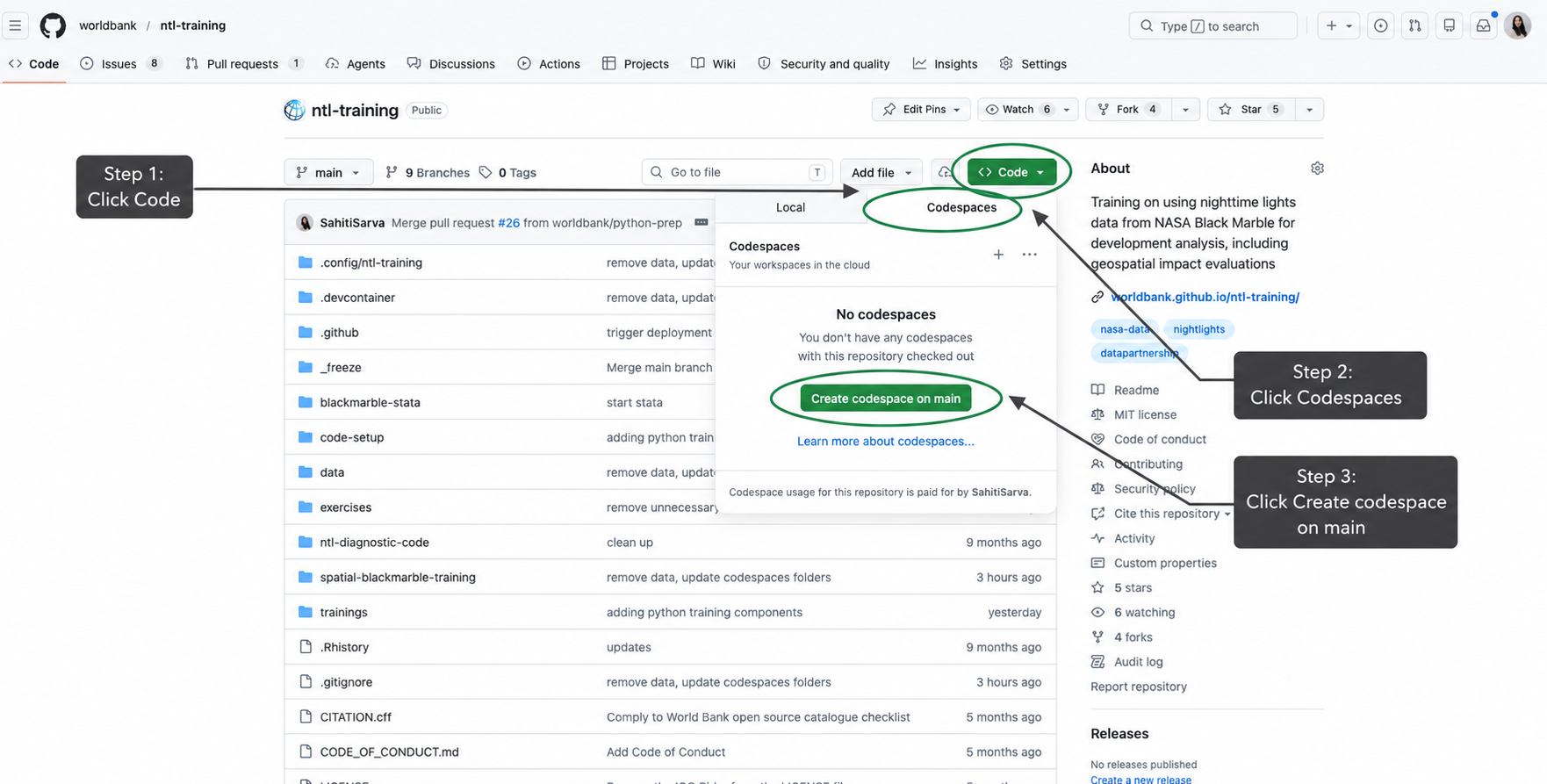
On the repository page, click the green Code button. In the menu that opens, select the Codespaces tab, then click Create codespace on main.
1.4 Step 4: Open your codespace
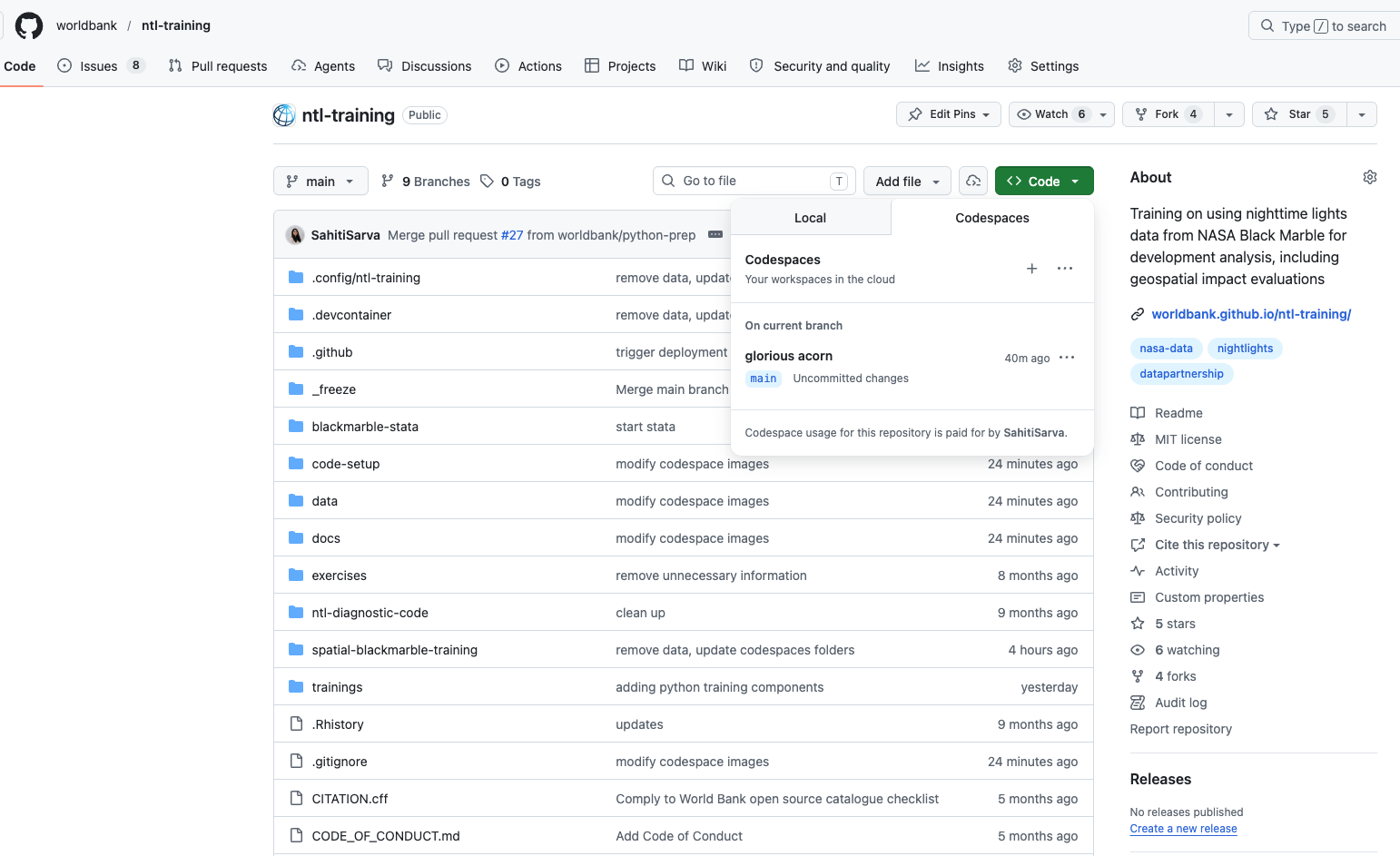
GitHub will open the codespace in a browser-based VS Code window. Wait up to 2 minutes for this to complete setup.
1.5 Step 5: Open a notebook
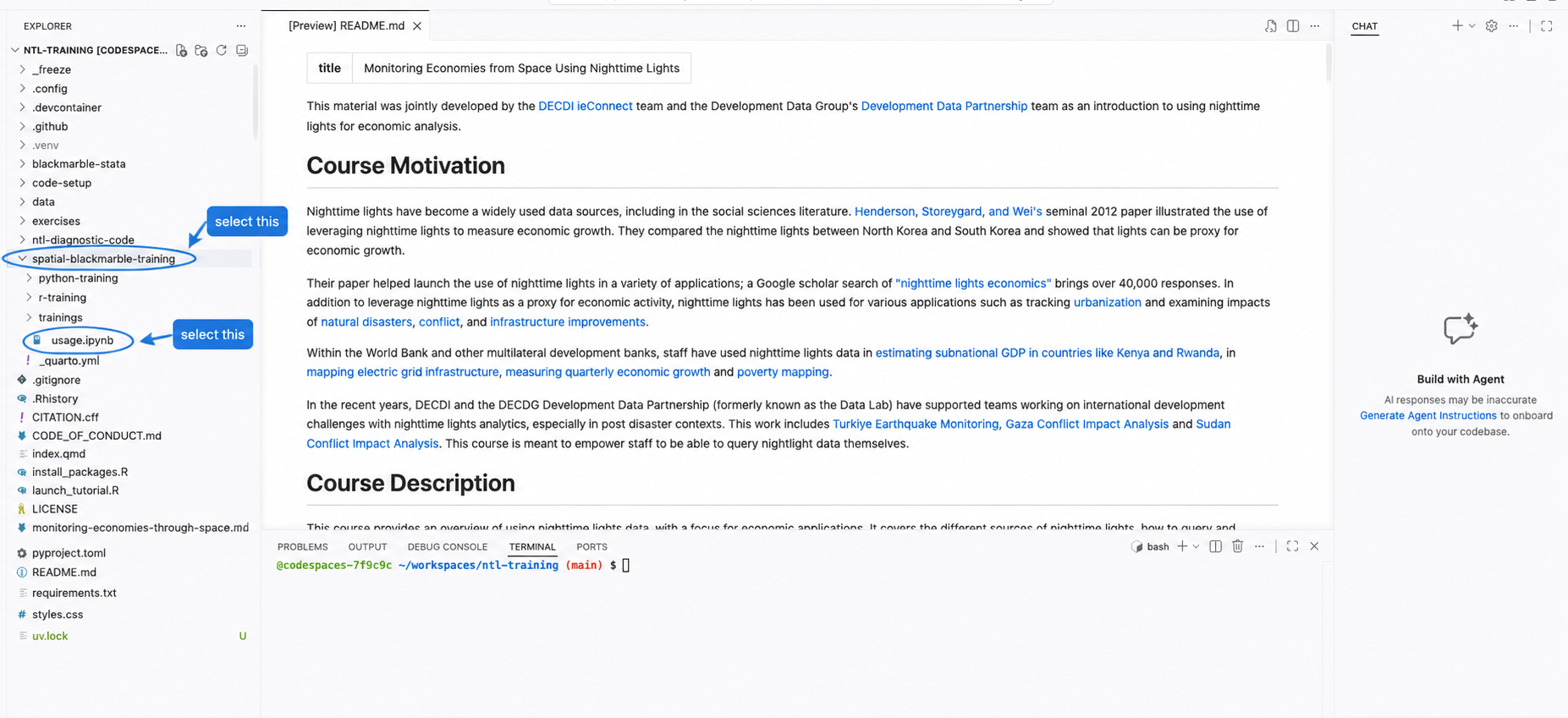
Use the file explorer on the left to open the notebook you want to run.
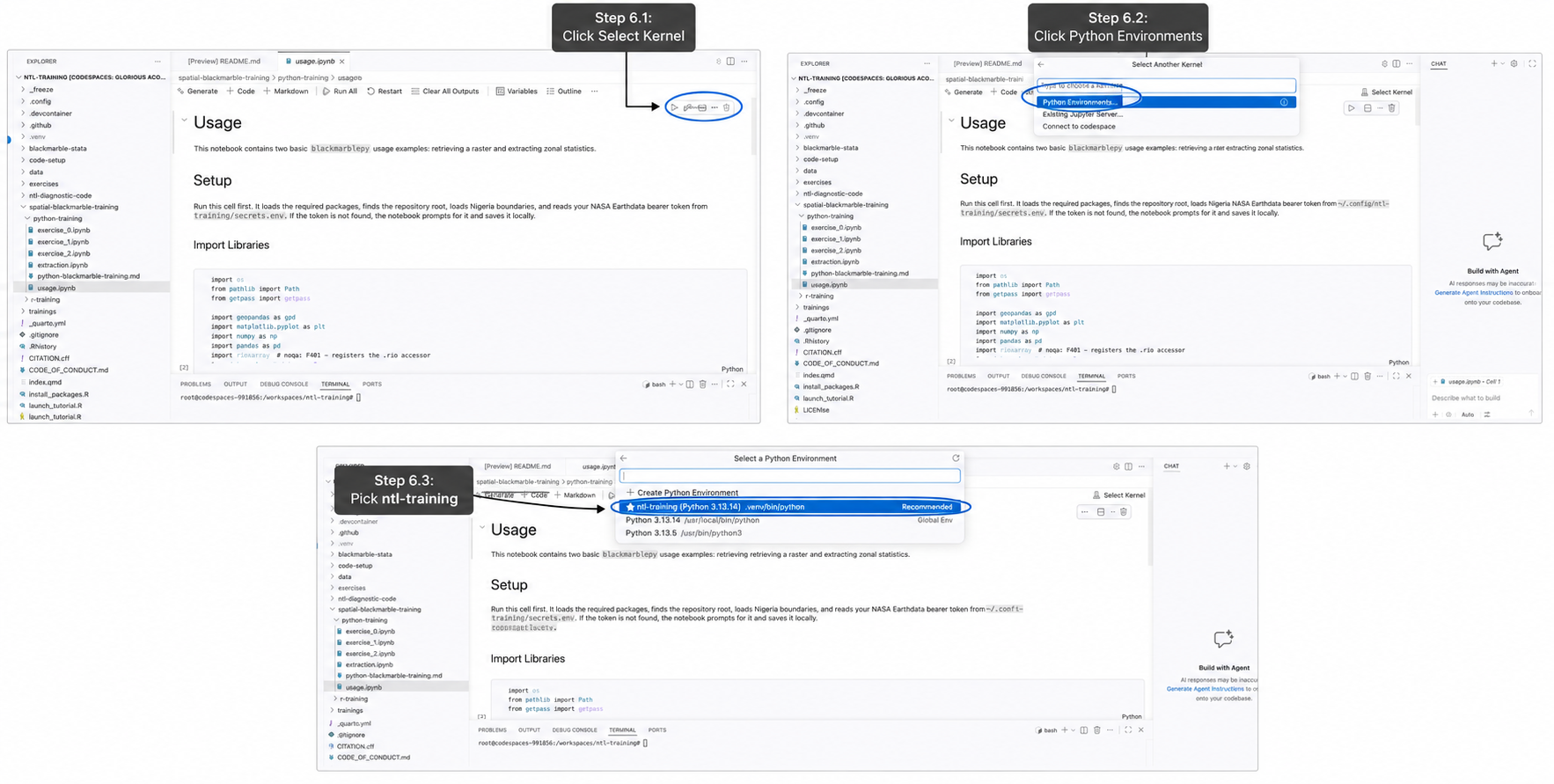
1.6 Step 6: Select kernel
Click Select Kernel in the upper-right corner of the notebook, then choose the available Python kernel.
1.7 Step 7: Run!
Run the notebook cells from top to bottom.