GitHub & Copilot
- A personal GitHub account
- GitHub Copilot access (private or institutional)
- Available premium requests — check here
Why? GitHub hosts your code and enables version-controlled collaboration. It also provides GitHub Copilot, an AI assistant that suggests and completes code directly in your editor.
Quick start
Create a GitHub account with your personal email (not your WB email).
Join the github.com/worldbank organization.
Get GitHub Copilot — either request access from WB or subscribe privately.
Set up a premium request budget (recommended) — your plan includes a monthly allowance (WB: 300, Pro: 500, Pro+: 1,500). Once exhausted, advanced models are blocked unless you enable overuse billing:
- Private plan → GitHub > Settings > Budgets and Alerts > + New Budget
- WB plan → Premium request chargeback
Questions? Email github@worldbank.org.
Step 1. Create a GitHub account
Sign up at https://github.com/signup. Use your personal email address, not your World Bank email.
Step 2. Join the WB GitHub organization
Submit a Join GitHub Organization request on eServices.
Accept the invitation email (sent to your private email linked with your GitHub account).
Confirm membership by following the link in the email.
- Invitations expire after 7 days — resubmit through eServices if needed.
See WB GitHub Enterprise Overview for details.
Inactivity policy. Members inactive for several months may be removed automatically. Resubmit the eServices request to rejoin. This does not affect your personal GitHub account or Copilot subscription.
Step 3. Get GitHub Copilot
Choose one of the following:
After joining the WB org, go to GitHub Settings > Copilot:
Scroll to “Get Copilot from an organization” and click Request access from
worldbank.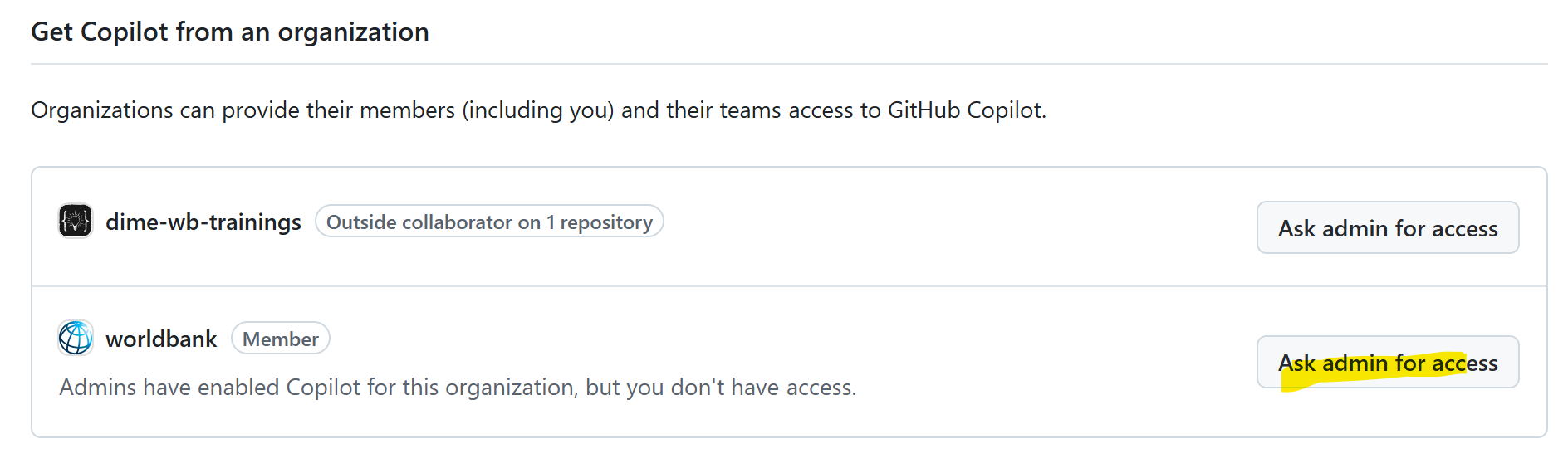
Request access button Email github@worldbank.org:
- Subject:
Request GitHub Copilot Access - Body: your GitHub username + brief reason
- CC: your manager
- Subject:
Purchase Copilot Pro or Pro+. This works independently of WB org membership.
Once you receive WB Copilot access, your private subscription is automatically cancelled and refunded. You cannot easily switch back to a private subscription afterward.
Step 4. Verify Copilot access
Go to GitHub Settings > Copilot and confirm your status:
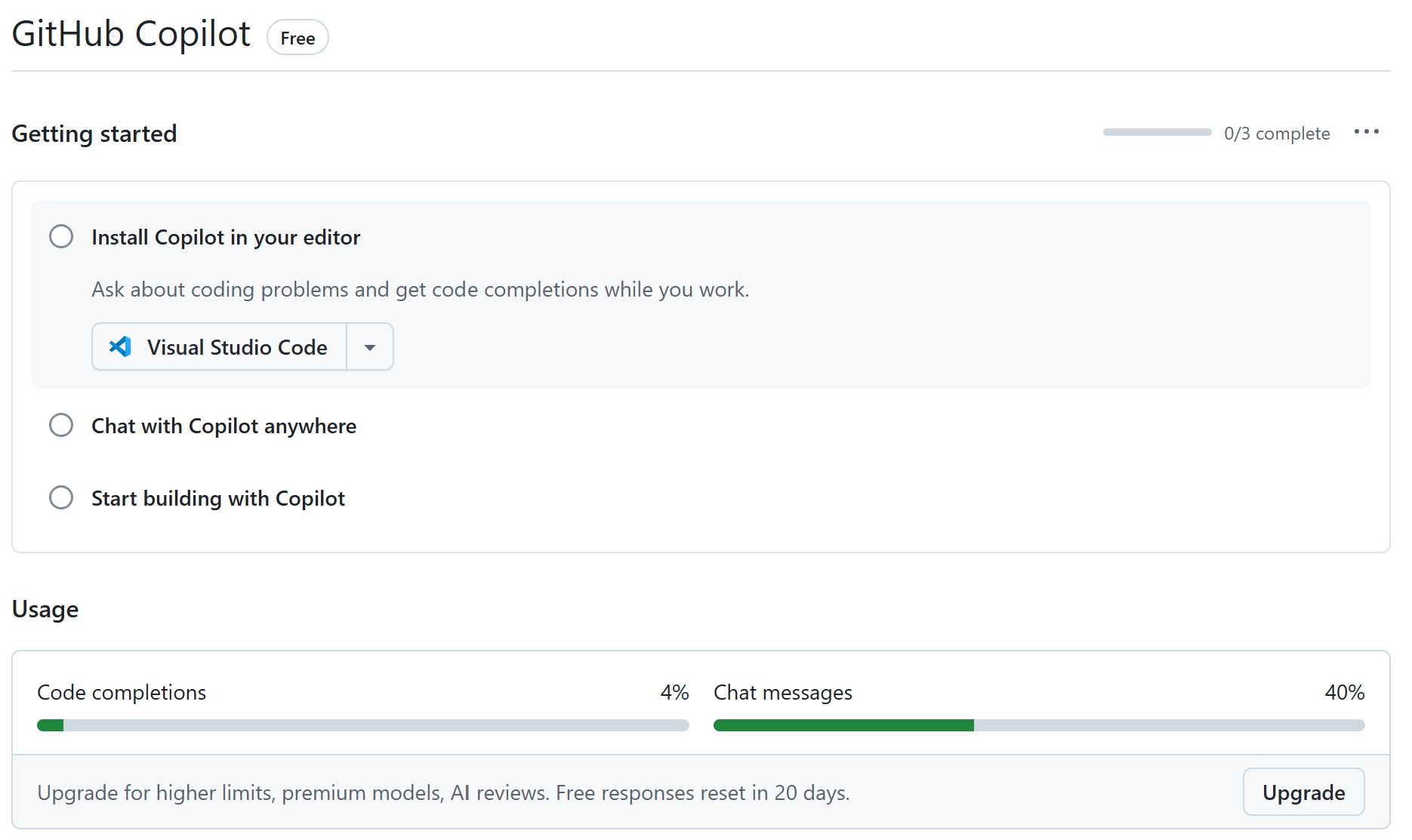
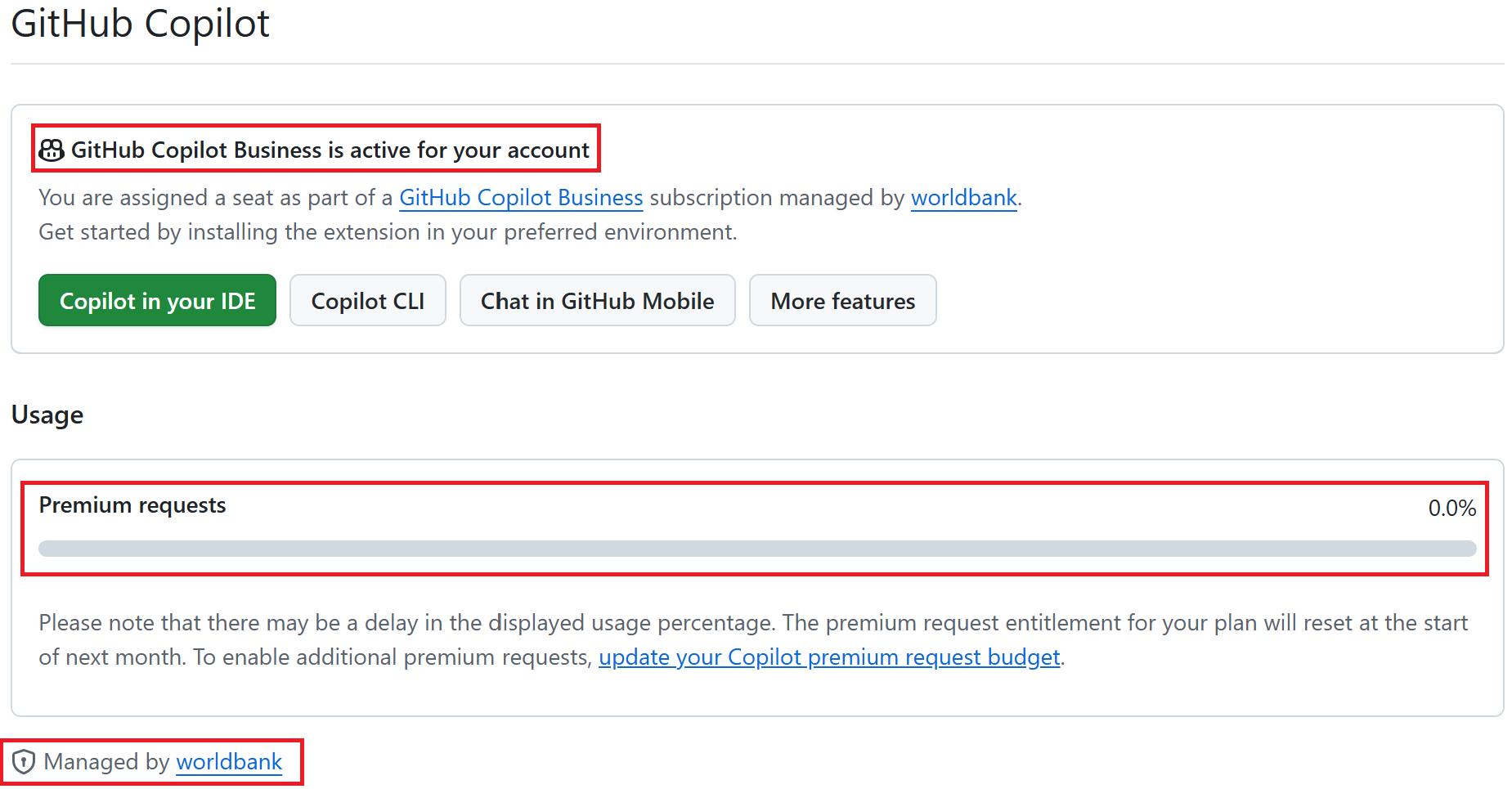
Note: If you have copilot access from the WB, you will see “Managed by worldbank”.
Step 5. Check premium requests usage
Go to GitHub Settings > Copilot.
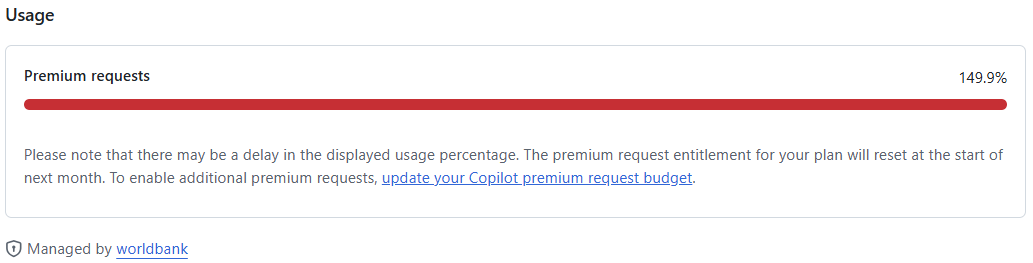
- 0–100% — share of your monthly allowance used so far.
- 100%+ — overuse; billed at ~$0.04/request if a budget is enabled.
- Resets monthly — usage drops to 0% at the start of each billing cycle.
Step 7. Troubleshooting
Do we have enterprise account for Github Copilot?
- You need to have a private avvount and become a member of the WB GitHub organization.
I got the WB subscription but using my WB email.
- Please change your email to a personal one.
May I ask how to get the WB subscription?
- You need to have a private avvount and become a member of the WB GitHub organization.
Access levels
| Setup | Repos | Copilot |
|---|---|---|
| No GitHub account | ✅ Public / ❌ Personal / ❌ WB | ❌ |
| Personal account (free) | +✅ Personal / ❌ WB | ⚠️ Only old LLMs |
| + Copilot Pro/Pro+ (private) | +✅ Personal / ❌ WB | ✅ Claude+ 300/1500 |
| + Premium requests budget (private) | +✅ Personal / ❌ WB | ✅ + extra at $0.04/request |
| WB Org member | +✅ WB | ⚠️ No premium requests |
| + Private Copilot and premium requests budget | +✅ WB | ✅ Claude+ 300/1500 (+ extra) |
| + WB Copilot access | +✅ WB | ✅ 300 req/mo |
| + WB chargeback | +✅ WB | ✅ + extra at $0.04/request |