Positron Assistant
- Positron Assistant enabled and connected to the GitHub Copilot provider.
Why? Positron Assistant is the built-in AI coding companion in Positron. It connects you to language models (GitHub Copilot, Anthropic Claude, OpenAI, etc.) for chat-based help, inline code suggestions, and code completions — all inside the editor. Enabling it is required for the AI-assisted workflows used in this course.
The steps below are adapted from the Positron Assistant Getting Started guide.
Step 1 — Enable Positron Assistant
- Open Positron settings (
Ctrl+,). - Search for
positron.assistant.enableand check the box.
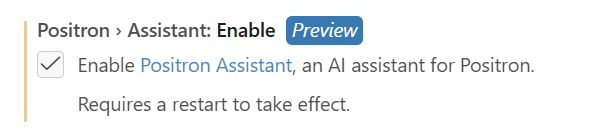
- Restart Positron or run the Developer: Reload Window command in the Command Palette (
Ctrl+Shift+P).
Step 2 — Configure a language model provider
Anthropic and GitHub Copilot are enabled by default. Other providers (Amazon Bedrock, Snowflake Cortex, OpenAI, Custom) are in preview/experimental and must be enabled through settings.
GitHub Copilot is enabled by default when you are signed in.
- Run the command Positron Assistant: Configure Language Model Providers (
Ctrl+Shift+P). - Select GitHub Copilot as the model provider.
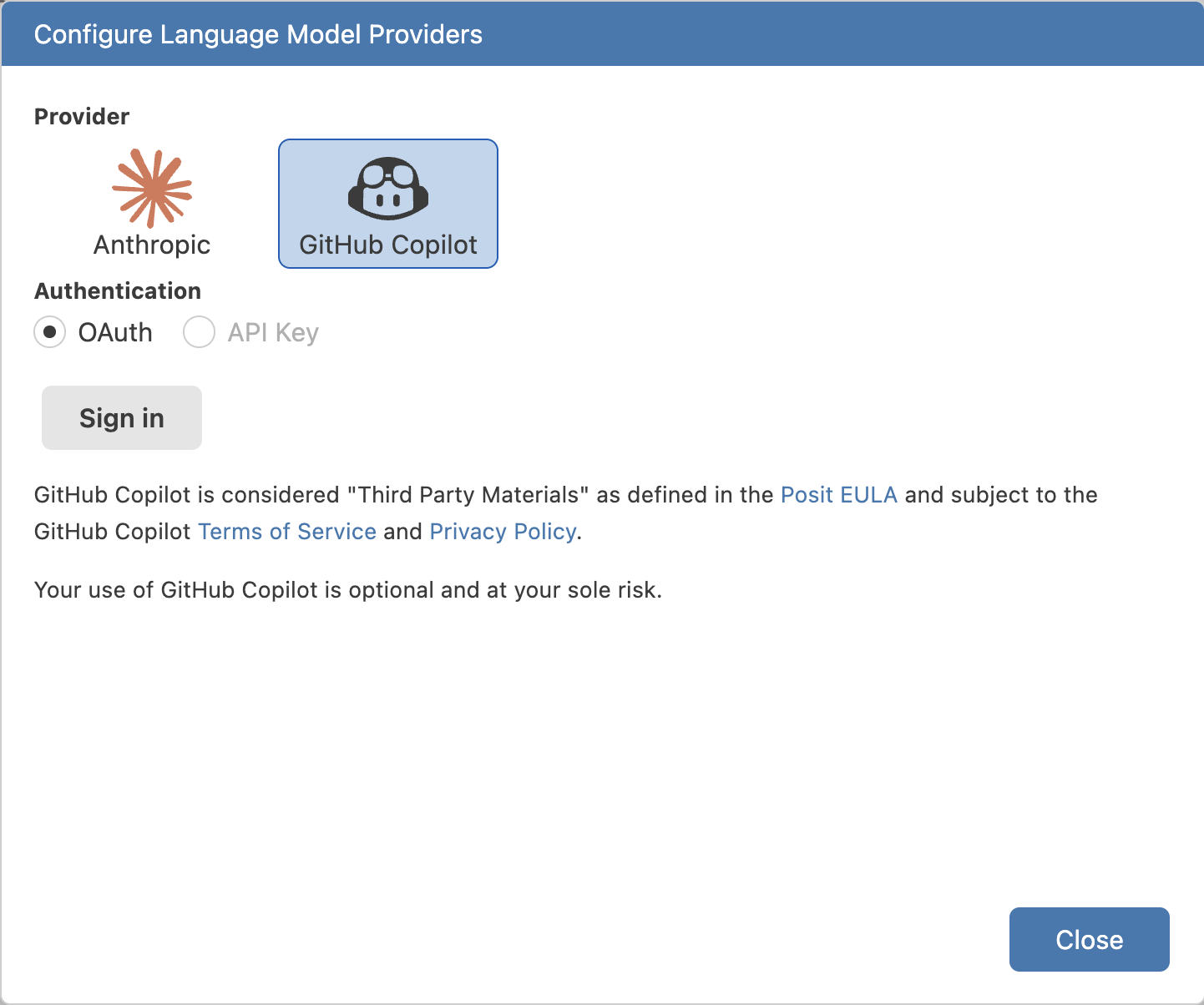
- Select Sign in and complete the GitHub OAuth flow in your browser.
You can also sign in to GitHub via the Accounts icon (bottom-left of the Activity Bar).
Step 3 — Use Positron Assistant
Once authenticated with at least one provider, open the Assistant chat:
- Select the chat robot icon in the sidebar, or run
Chat: Open Chatfrom the Command Palette.


- Type your question in the chat input box and press
Enter.
See the full Positron Assistant Getting Started guide for all provider options.
Step 4 — Troubleshooting
Advanced models (Claude, GPT) are not available for me in positron assistant.
- This is because you do not have Github Copilot subscription, see Verify Github Copilot Access for details.
Most often, issues with Positron Assistant and GitHub Copilot are related to authentication, configuration, or exceeding the free-requests quota.
You may not have activated GitHub Copilot through a private or WB subscription. Check the GitHub Copilot setup guide for details.
Check whether you still have free premium requests available. If you have exhausted your quota, you will need to wait until it resets or subscribe to a paid plan. See the GitHub Copilot setup guide for details.
Positron Assistant may not be enabled or configured to use GitHub Copilot as the provider. Check the Positron Assistant setup guide for details.
If error messages persist after confirming the above, contact ITHelp@worldbankgroup.org for assistance and github@worldbankgroup.org to verify that your GitHub Copilot subscription is active.